
Snap News: Local & Alerts
Build4worldNews & Magazines
4.3165.00 Reviews
- Version
- 1.2.7
- Installs
- 500.00K
- Age Rating
- Everyone
Screenshots
Our Review of Snap News: Local & Alerts
 Analysis by Appyee
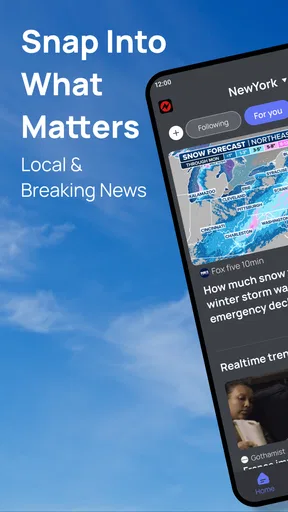
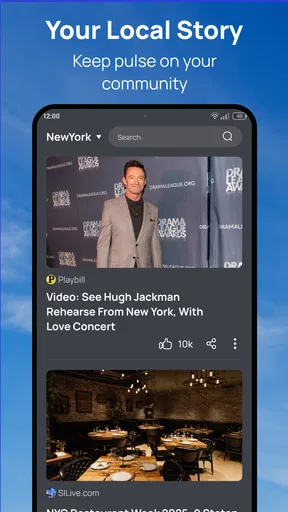
I approached Snap News: Local & Alerts as a practical news reader rather than another app to open once, browse briefly, and forget. Its promise is straightforward: help me notice what is happening around my community while still giving me a quick view of stories that are already gaining attention. That makes it interesting for people who feel national news is too broad but do not want to search several local sources every morning.
The app comes from Build4world and sits in the News & Magazines category. It is free to use, rated for Everyone, and runs on Android 7.0 or later. The current release is version 1.2.6, and its presence on the platform is already meaningful, with more than one hundred thousand installs and an average score of 4.2 from roughly one and a half thousand ratings. Those figures suggest that it has found an audience, but they do not answer the more important question: is it a good fit for the way you personally follow news?
How I would decide whether Snap News belongs on your phone
My first decision criterion is speed. If I want a quick sense of the day, I do not necessarily need a full newspaper-style experience with long analysis, opinion columns, newsletters, and video sections. I need a clean route from opening the app to understanding what matters. A local-first reader can be valuable here because relevance often matters more than the total number of stories.
The second criterion is local usefulness. “Local” should mean more than a general location label attached to national headlines. The real test is whether the app helps me discover stories connected to the places I live, work, travel through, or care about. That includes the kind of information people discuss with neighbors: changes in the community, nearby incidents, local decisions, and events that may never become major national headlines.
The third criterion is balance. A reader focused only on popular stories can become repetitive, while one focused only on local items may leave me unaware of wider events. Snap News: Local & Alerts is most appealing because it tries to combine these two habits: checking what is trending and keeping an eye on nearby coverage.
I would also consider how much control I want. Some people prefer to choose every source and build a carefully organized reading list. Others want an app to reduce the work of finding stories in the first place. This product is aimed more at the second group. It is useful when discovery is the priority, but less compelling if you already have a precise system based on selected publications, RSS feeds, or dedicated news subscriptions.
Finally, I would ask how much friction I can tolerate. A free app is easy to try, but free does not automatically mean effortless. News apps can become tiring when the feed feels too broad, when alerts arrive at inconvenient moments, or when a headline gives me too little context. My recommendation therefore depends not only on the app’s subject matter, but on whether its quick-browsing style matches your habits.
The first-use experience and the daily reading rhythm
In everyday use, I see this app working best as a short check-in. I might open it while having breakfast, scan the most noticeable headlines, and then decide which story deserves a deeper read elsewhere. That is a different role from a traditional newspaper app, where I may spend a longer, more deliberate session moving through sections.
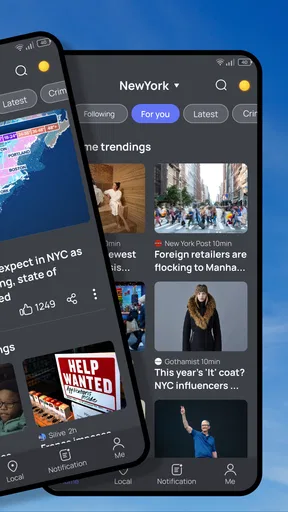
The store summary describes instant updates, trending stories, and local coverage. I read that as a useful combination for people who want awareness without building a complicated routine. The app’s value is not that it replaces every source. Its value is that it can act as a starting point: a place to see what deserves attention before I choose how deeply to investigate.
That distinction matters. A headline feed is excellent for discovery, but discovery is not the same as verification or complete reporting. When a story affects my plans, money, safety, or community, I would still open the underlying coverage and look for enough detail to understand what actually happened. I would not treat a short headline as the whole story, and I would encourage new users to adopt the same habit.
Where it wins for local and trending coverage
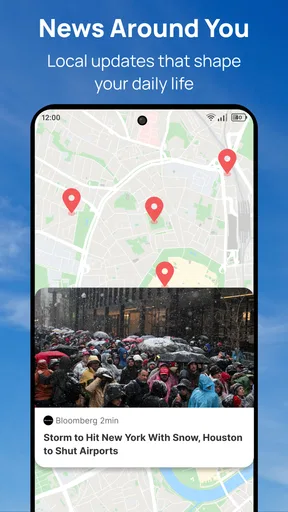
The strongest reason to try Snap News is the combination of proximity and immediacy. Many mainstream news apps are very good at national and international coverage, yet local information can feel buried behind broad headlines. A community-focused reader can shorten the distance between “something is happening” and “this may affect my day.”
Imagine a weekday morning when I am deciding whether to take my usual route to work. I open the app for a fast scan and notice a local story that may change how I plan the trip. I do not need a long reading session at that moment. I need an early signal, followed by enough context to decide whether I should investigate further. That is a realistic use case where local discovery is more helpful than simply opening a general-purpose national news app.
The trending side adds another layer. If a story is spreading quickly, I can use the app to understand what has entered the public conversation, even when it is not tied directly to my neighborhood. This makes the product more flexible than a narrowly local bulletin. I can move from “what is happening near me?” to “what are people paying attention to more broadly?” without changing apps.
Another advantage is reduced search effort. I do not always know which publication covered a minor local development, and I may not have time to search several sites individually. A discovery-oriented app can save that first round of browsing. Its practical strength is the shortcut from uncertainty to a useful list of things worth checking.
I also like the idea of using it as a conversation filter. When friends or coworkers mention a developing story, a quick look at the app can show whether it is part of a wider trend or mainly a local concern. That does not make the displayed headline automatically reliable, but it gives me a starting point for asking better questions and finding more complete coverage.
Three habits that make the app more useful
My first tip is to separate scanning from reading. Use the initial feed to identify subjects, not to make final judgments. When a headline matters, pause and open the full item or consult a trusted source. This prevents the common mistake of confusing speed with understanding, especially when a local story is still developing.
My second tip is to use local relevance as a filter for your attention, not as a reason to ignore wider news. I would begin with nearby stories, then check the trending section for major developments outside my area. This two-step routine is more efficient than scrolling through everything in one uninterrupted stream, because it gives the session a clear purpose.
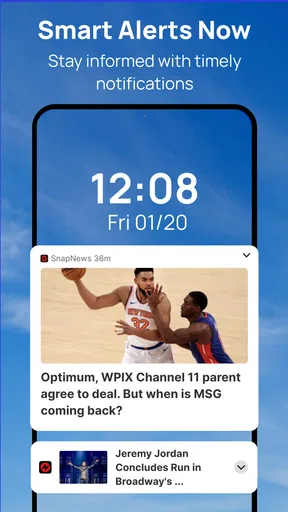
My third tip is to treat alerts as a decision rather than an automatic feature. If alerts are useful to you, reserve them for information you genuinely want to notice quickly. If they become distracting, the app loses much of its appeal. I would review the alert behavior during the first few days and decide whether it supports my routine or interrupts it. A news app should help me stay informed, not turn every quiet moment into another prompt to check my phone.
A fourth useful habit is to compare repeated headlines before assuming they represent separate developments. Trending feeds can surface several versions of the same event. I would group related headlines mentally and look for what is new in each one. That makes the app less noisy and helps me avoid mistaking repetition for a larger number of independent stories.
Where another type of news app may fit better
Snap News is not automatically the best choice for everyone. If I already subscribe to a local newspaper and mainly want its complete reporting, a dedicated publication app may be better. It is likely to offer a more consistent editorial voice and a deeper archive of that publication’s work. In that situation, this app would be most useful as a secondary discovery tool rather than my main source.
If I prefer international analysis, long-form journalism, or carefully organized subject sections, a large general news service may suit me more. Those apps are usually designed around breadth and depth, while Snap News is more attractive when I want quick awareness and a local angle. Neither approach is universally superior; they serve different reading moods.
People who build their own information systems may also prefer RSS readers or curated news aggregators. Those tools can provide more precise control over sources and topics. The trade-off is that I must do more setup and maintenance. Snap News appeals to someone who would rather begin with a ready-made discovery experience than spend time managing feeds.
There is also a case for skipping it if I dislike headline-driven browsing. Some readers want to open one trusted publication, read a planned selection, and avoid the endless pull of what is currently trending. For them, the app’s central appeal may feel like unnecessary noise. I would not recommend changing a calm, reliable reading routine simply because a free alternative exists.
Users who need specialist reporting should be selective too. A broad local-and-trending feed may be useful for awareness, but it is not a substitute for a source dedicated to finance, science, technology, public policy, or another subject where expertise and context matter. I would use it to notice a topic, then move to a stronger specialist source when the decision has real consequences.
What switching actually costs
Because the app is free, the financial barrier to trying it is low. The more important cost is attention. Adding another news reader can create duplicate headlines, competing alerts, and a habit of checking several feeds without learning more. Before installing it, I would decide what role it is meant to play: local discovery, a morning scan, or a backup to my main source.
The easiest transition is not to replace everything immediately. I would keep my established source for detailed reading and use Snap News for a short trial focused on local awareness. After several days, I could judge whether it surfaces useful stories I would otherwise miss. If it only repeats headlines already appearing elsewhere, it may not earn a permanent place on the phone.
There is also a mental switching cost. A new feed needs time before I understand its rhythm: which headlines deserve attention, how much context each item provides, and whether the local angle is genuinely useful in my area. I would avoid making a final judgment after one quick session. At the same time, I would not keep it indefinitely out of habit. The test should be practical: does it improve my awareness without making my news routine more crowded?
For families, the Everyone content rating makes the app easier to consider as a general household news reader, but I would still guide younger users through the difference between a headline and confirmed information. News can involve upsetting subjects even when an app is broadly suitable for all ages. The rating is helpful for general access, not a replacement for judgment about what a child should read.
Performance expectations and everyday limitations
The app’s appeal depends on timely discovery, so the quality of the experience will naturally depend on how relevant the feed feels in a user’s location. A person in a large, heavily covered area may find the local angle more rewarding than someone whose community receives less online coverage. I would keep that regional difference in mind before deciding that the concept itself works or fails.
Another limitation is the possibility of shallow context. Quick updates are useful when I need an early signal, but they can leave important questions unanswered: what caused the event, what happens next, and which details are confirmed? My workaround is simple but important: use the app to identify stories, then read beyond the first presentation whenever the subject affects me directly.
Trending coverage can also influence attention in ways that are not always helpful. Popular does not necessarily mean important to me, and local does not necessarily mean complete. I would resist scrolling by momentum and instead ask why a story matters to my day. This small discipline makes the app more valuable because I remain in control of the reading session.
I would also be realistic about using it as an emergency source. A news app can help me notice developing information, but for urgent instructions I would rely on the appropriate official local channels. That is not a criticism unique to this product; it is a sensible boundary for any general news reader. Snap News belongs in the awareness layer of my routine, not as the only authority in a crisis.
My recommendation for different kinds of readers
I recommend giving Snap News a try if you want a free way to discover local stories quickly, enjoy seeing what is currently attracting attention, and do not mind following important headlines to fuller coverage. It is particularly suitable for people who feel disconnected from nearby events or who find large news apps too broad for a quick daily check.
I would be more cautious if you already have a carefully curated news setup. In that case, install it only if local discovery is a clear gap. If your priority is deep reporting from a specific publication, specialist analysis, or complete control over every source, another category of app will probably serve you better.
My preferred way to use it is as a first stop, not a final stop. I would open it for a short scan, note the local and trending subjects that matter, and then read the important ones in greater depth. That workflow respects the app’s strength without asking it to do a job it was not designed to replace.
Overall, Build4world has made a sensible choice by focusing on the meeting point between community awareness and fast-moving stories. The free price and broad age rating make experimentation easy, while the established install base and 4.2 average suggest that many users find the approach worthwhile. My final judgment is positive but specific: Snap News is best as a lightweight local-news discovery companion, especially for a reader who wants a quicker route to relevant headlines. It is not the complete answer for serious, specialist, or deeply researched news, but used with that boundary in mind, it can make a daily information routine more timely and more connected to the place where I actually live.
Privacy and Permissions
See what permissions an app requests and how it handles your data.
- Location
- approximate location (network-based), precise location (GPS and network-based)
- Phone
- read phone status and identity
- Photos/Media/Files
- read the contents of your USB storage, modify or delete the contents of your USB storage
- Storage
- read the contents of your USB storage, modify or delete the contents of your USB storage
- Wi-Fi connection information
- view Wi-Fi connections
- Device ID & call information
- read phone status and identity
- Other
- view network connections, full network access, run at startup, prevent device from sleeping, install shortcuts, Google Play license check
Verdict
Strengths of Snap News: Local & Alerts
- Fast access to breaking news and local updates in one place.
- Alerts help users stay informed about important nearby events.
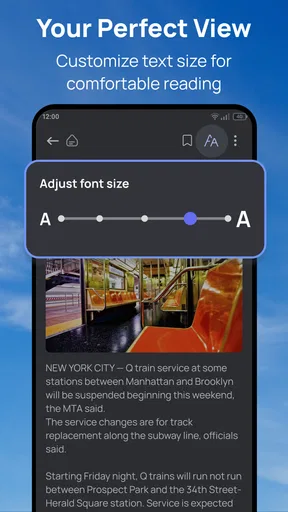
- Clean layout makes headlines easy to scan quickly.
- Useful for discovering stories from smaller local sources.
- Personalized topics can reduce irrelevant news in the feed.
Limitations of Snap News: Local & Alerts
- Some local coverage may be limited outside major cities.
- Frequent alerts can become distracting without careful settings.
- News quality may vary between different publishing sources.
- The app may require location access for relevant local updates.
- Advertising can make the reading experience feel less focused.
Other Releases by Build4world
View All
Flow Homescreen
Personalization4.5

Nova Weather - News
News & Magazines4.5
Similar Picks in This Category
View All
Google News - Daily Headlines
Google LLC4.0

X
X Corp.4.8

Flipboard:Your Social Magazine
Flipboard3.4

Opera News: breaking & local
Opera4.5

Hindi News by Dainik Bhaskar
Dainik Bhaskar Group4.0

Way2News Daily News App
Way2News ( Formerly Way2SMS )4.6
Frequently Asked Questions
What is Snap News: Local & Alerts?
Snap News: Local & Alerts is a news application designed to provide quick access to local stories, breaking updates, and personalized alerts. It can help users follow developments in their area while also presenting broader headlines in a convenient mobile format. The exact selection of news may vary according to your location, available publishers, and the topics you choose to follow.
How does Snap News: Local & Alerts determine which news I see?
The app generally uses information such as your selected interests, location settings, followed topics, and reading activity to organize the news feed. Local coverage may require permission to access your approximate or precise location, depending on the device and app configuration. You can usually adjust interests and notification preferences, but the quality and relevance of results depend on the sources available in your region.
Does Snap News: Local & Alerts send breaking-news notifications?
Yes, the app is intended to provide alerts for important local and current events, although the type and frequency of notifications can differ by location and settings. Before downloading, check which alert categories are enabled by default. If notifications become distracting, you can manage them from the app or your Android or iOS system settings, including disabling certain topics or all alerts.
Is Snap News: Local & Alerts free to download and use?
The application may be available to download at no initial cost, but users should review its store listing for advertising, optional purchases, subscriptions, or other limitations. Free access can also vary depending on the region and the news content offered. Before confirming an installation or subscription, carefully check the pricing details, renewal terms, and cancellation instructions shown on your device.
What privacy permissions does Snap News: Local & Alerts require?
A news and alerts app may request access to notifications, location, and internet connectivity so it can deliver timely updates and show nearby stories. Location access is particularly relevant to local coverage, but you can review or change permissions through your device settings. Read the app’s privacy policy before use, especially if you are concerned about how location, usage, or personalization data is handled.
